Terms of Service management
The Terms of Service (ToS) functionality enables service providers to define Terms of Service for their marketplace offerings and track user consent. If consent enforcement is active, users must accept the Terms of Service before accessing certain resources.
Actions via API
Base URL for Terms of Service management: /api/marketplace-offering-terms-of-service/
List Terms of Service Configurations
Get all Terms of Service configurations visible to current Hosting Entity.
GET /api/marketplace-offering-terms-of-service/
Authorization: Token <token>
Retrieve a Terms of Service Configuration
Get details of a specific ToS configuration.
GET /api/marketplace-offering-terms-of-service/<tos-uuid>/
Authorization: Token <token>
Create a Terms of Service Configuration
Create a new Terms of Service configuration for an offering.
POST /api/marketplace-offering-terms-of-service/
Content-Type: application/json
Authorization: Token <service-provider-token>

{
  "offering": "/api/marketplace-provider-offerings/a1b2c3d4-e5f6-7890-1234-567890abcdef/",
  "terms_of_service": "<h1>Terms of Service</h1><p>By using this service, you agree to...</p>",
  "terms_of_service_link": "https://example.com/tos",
  "version": "2.0",
  "is_active": true,
  "requires_reconsent": true,
  "grace_period_days": 60
}
Update a Terms of Service Configuration
Update an existing ToS configuration. This is intended for minor changes, major ToS changes must be done via creating a new ToS and requiring reconsent. Note that version and requires_reconsent are protected and cannot be changed.
PATCH /api/marketplace-offering-terms-of-service/<tos-uuid>/
Content-Type: application/json
Authorization: Token <service-provider-token>

{
  "terms_of_service": "<h1>Updated Terms</h1><p>Revised terms...</p>",
  "terms_of_service_link": "https://example.com/tos-v2",
  "is_active": false,
  "grace_period_days": 90
}
Delete a Terms of Service Configuration
Delete a ToS configuration. This is a hard delete.
DELETE /api/marketplace-offering-terms-of-service/<tos-uuid>/
Authorization: Token <service-provider-token>
More information about ToS management from Waldur documentation site.
Actions via UI
Hosting Entities can manage Terms of Service docs of the offering in the offering edit view. Select service providing organisation, then Marketplace -> Offerings from the workspace menu and particular offering from the list.
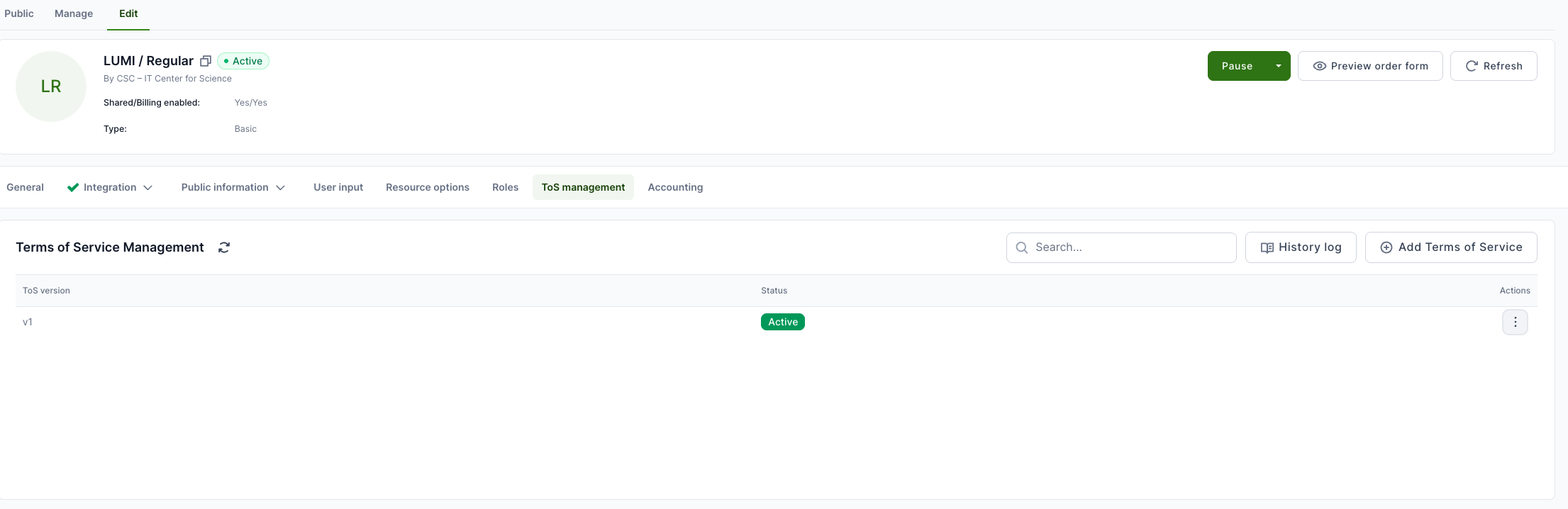
This view shows the list of created ToS versions. Only one version can be active. so before activating new version, you must deactivate the previous version.
Add a new ToS
To add a new ToS, just open the ToS management page of the offering and click Add Terms of Service from the right.
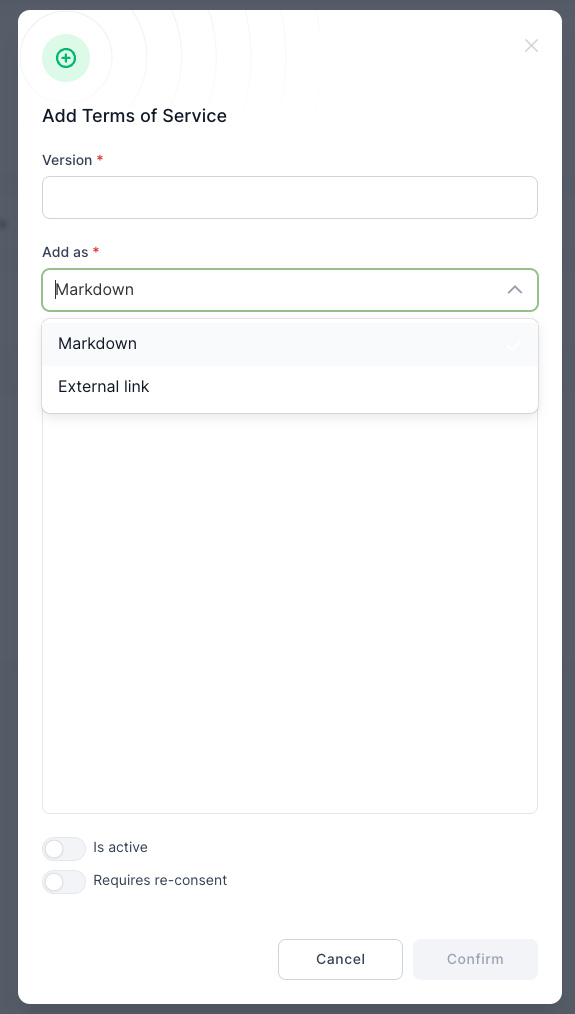
- Add version info.
- Choose whether you would like to add it as a URL or Markdown text.
- Add URL or text.
- Set if this will be active.
- Set if you would like to request reconsents from the users.
- If all set, click Confirm
Update ToS
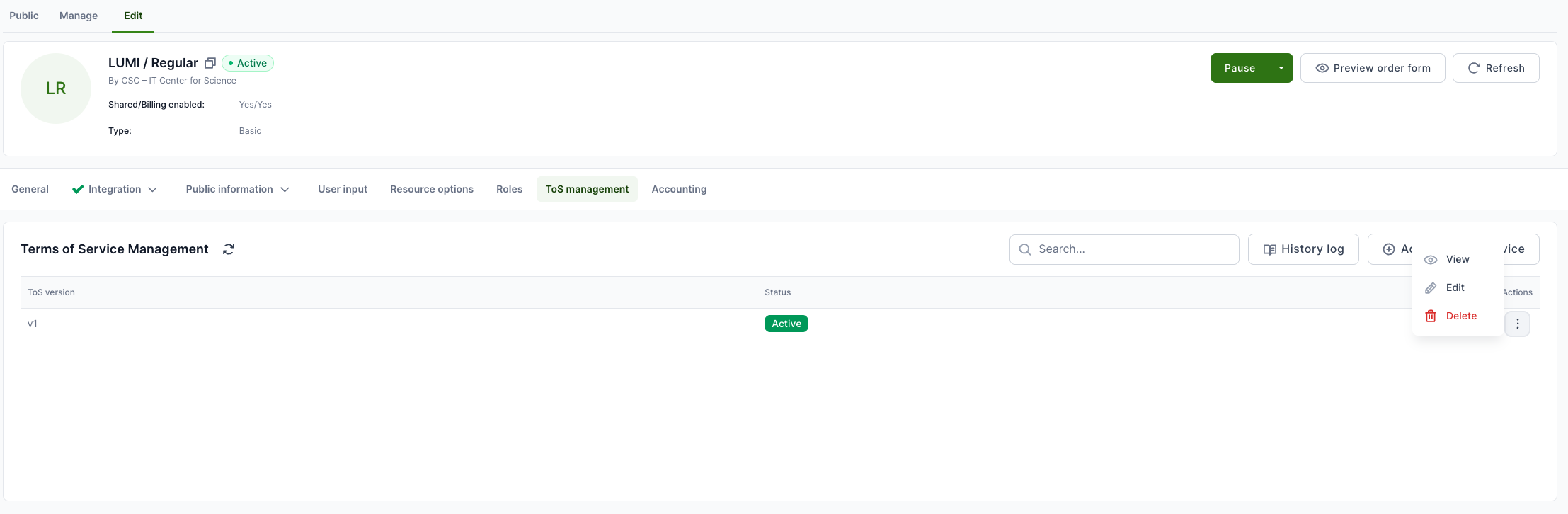
To update already existing ToS, then open the ToS management page and select Actions -> Edit at the end of the line of the particular ToS version.
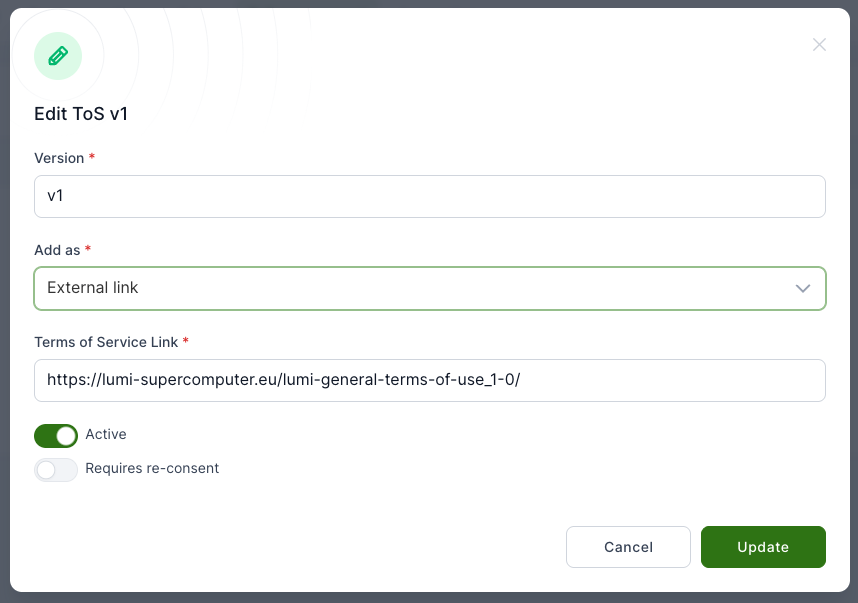
Make needed changes and click Update.
Delete ToS
To delete already existing ToS, then open the ToS management page and select Actions -> Delete at the end of the line of the particular ToS version.