Resource management and order management in EFP Allocations
Resource and order management via API
Order Management
Marketplace orders API endpoint allows to perform order-related actions like create, retrieve, delete etc.
| Method | Endpoint | Description |
|---|---|---|
| GET | /api/marketplace-orders/ | List |
| GET | /api/marketplace-orders/{uuid}/ | Retrieve |
| POST | /api/marketplace-orders/ | Create |
| POST | /api/marketplace-orders/{uuid}/unlink/ | Unlink |
| DELETE | /api/marketplace-orders/{uuid}/ | Delete |
More information on Waldur documentation site.
Order States Flow
Orders progress through states: PENDING_CONSUMER → PENDING_PROVIDER → EXECUTING → DONE
Resource Management
| Method | Endpoint | Description |
|---|---|---|
| GET | /api/marketplace-provider-resources/ | List provisioned allocations |
| GET | /api/marketplace-provider-resources/{uuid}/details/ | Get allocation details |
More information about resource management on Waldur documentation site.
Usage Reporting
EFP Allocations accepts overall component usage or usage per user information.
Overall usage
| Method | Endpoint | Description |
|---|---|---|
| GET | /api/marketplace-component-usages/ | List Marketplace Component Usages |
| GET | /api/marketplace-component-usages/{uuid}/ | Retrieve |
| POST | /api/marketplace-component-usages/set_usage/ | Set usage |
More information about component usage reporting on Waldur documentation site.
Usage per user
| Method | Endpoint | Description |
|---|---|---|
| GET | /api/marketplace-component-user-usages/ | List Marketplace Component User Usages |
| GET | /api/marketplace-component-user-usages/{uuid}/ | Retrieve |
| POST | /api/marketplace-component-usages/{uuid}/set_user_usage/ | Set user usage |
More information about user usage reporting on Waldur documentation site.
Resource and order management via GUI
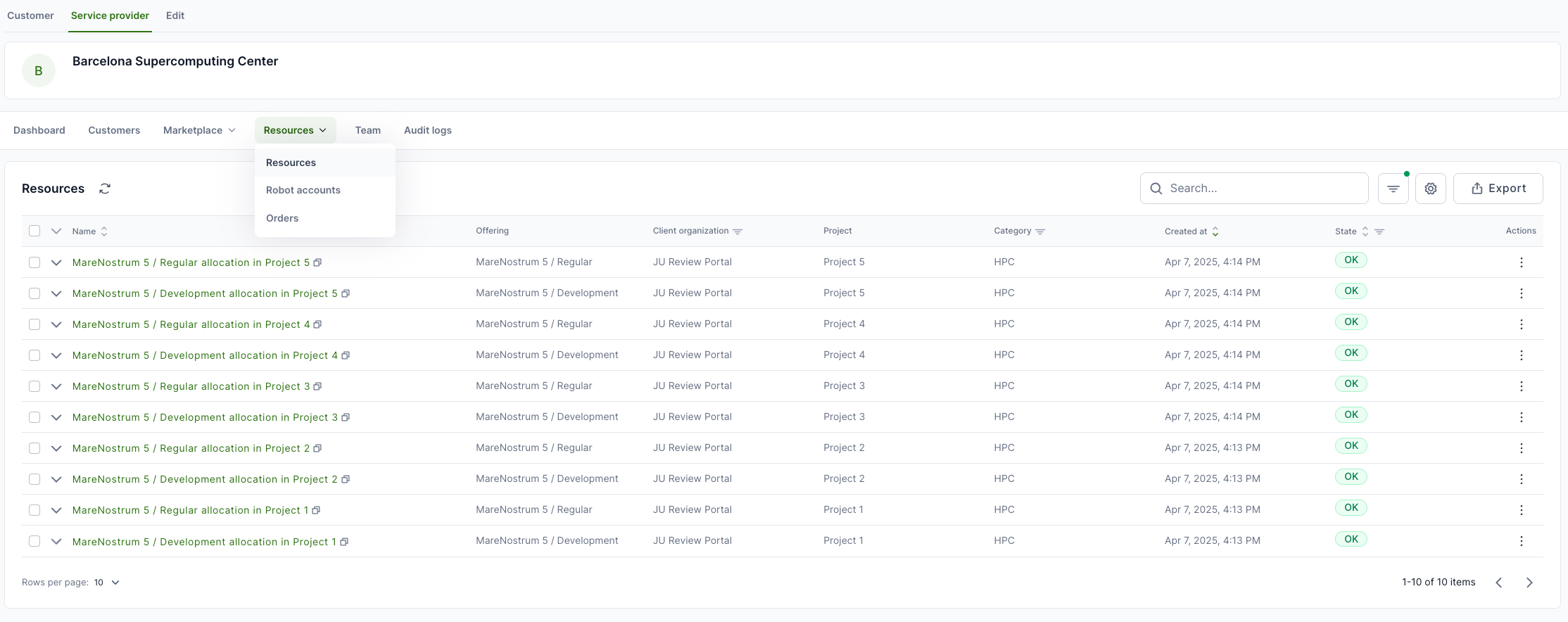
List of resources
To see the list of created resources, login to EFP Allocations, open Service Provider from the top and then select Resources → Resources from the workspace menu.
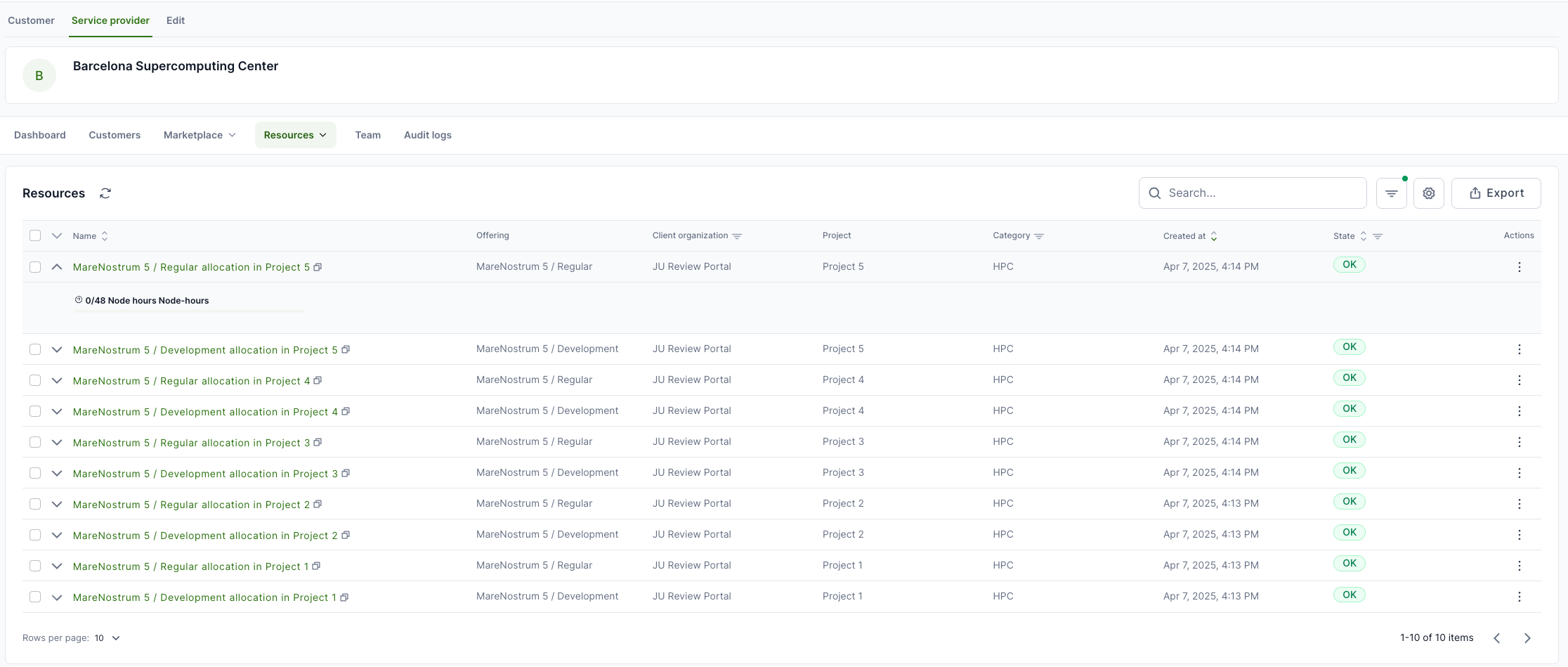
Resource usage and limits
To see the aggregated usage and limits information, click on the small arrow in the front of resource name from the resource table.
Resource usage view
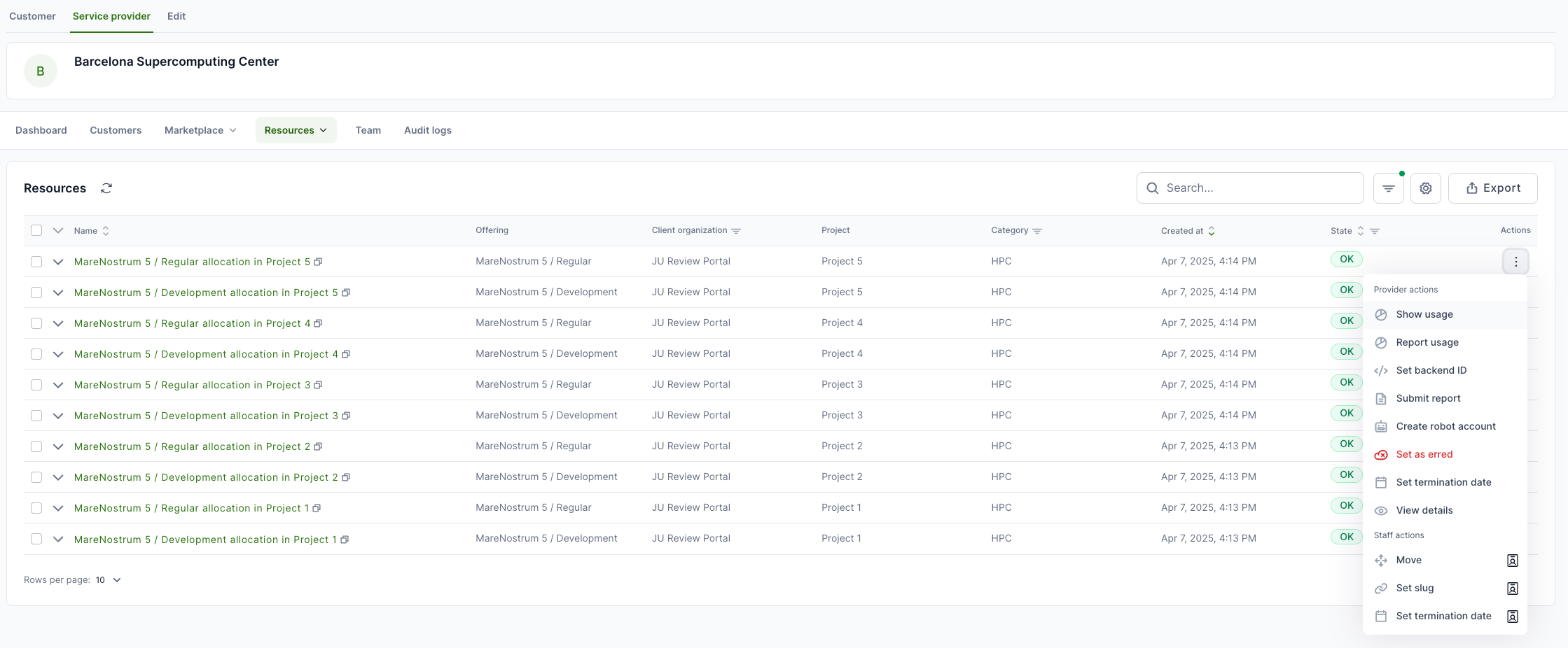
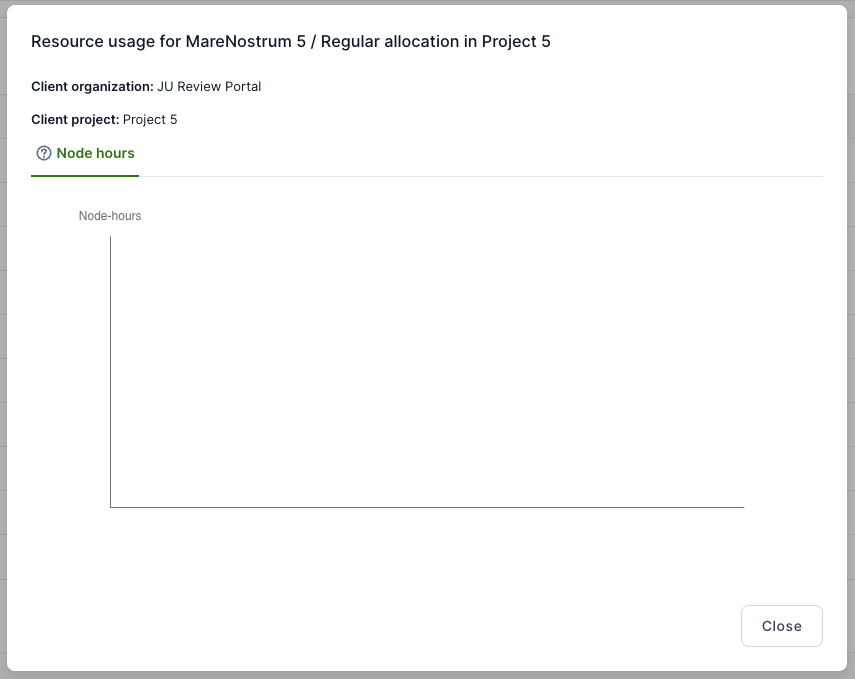
To see the monthly resource usage, select Actions from the end of the line in the resource table and select Show usage.
Usage reporting
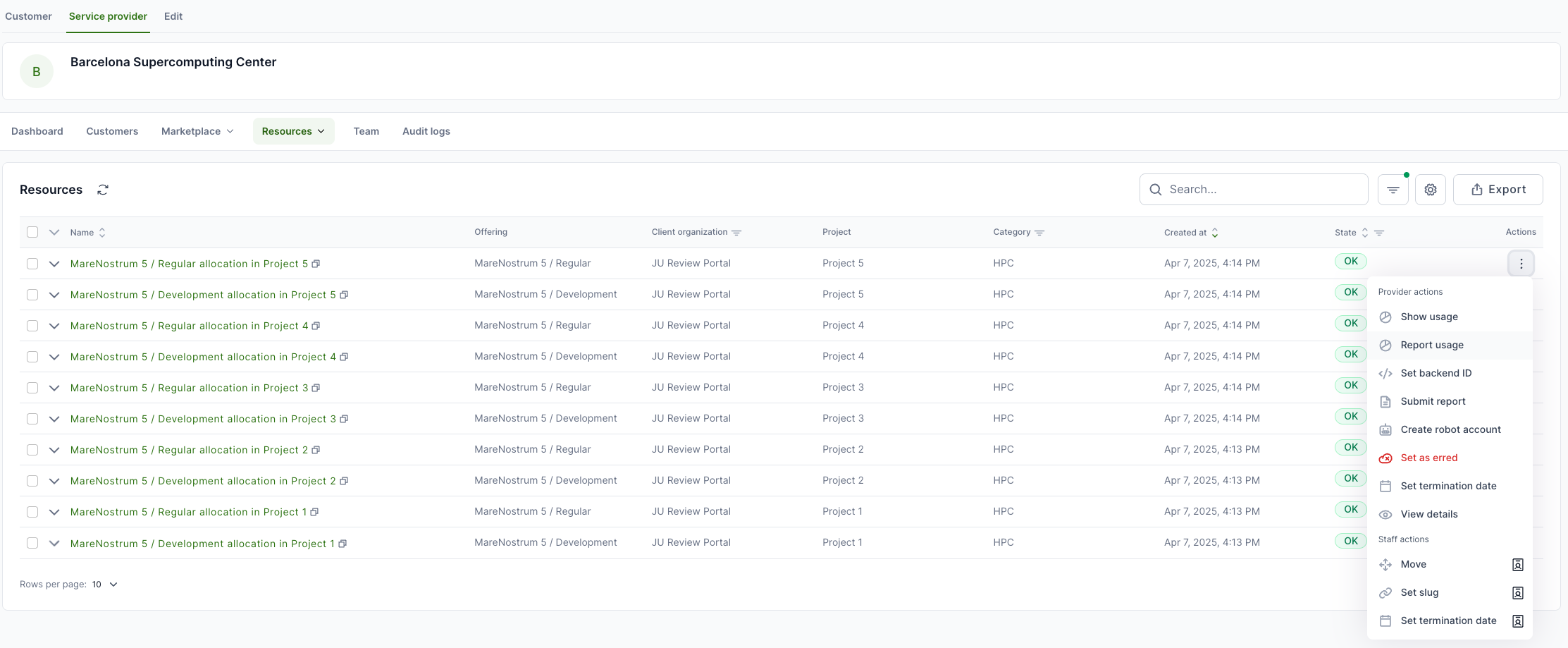
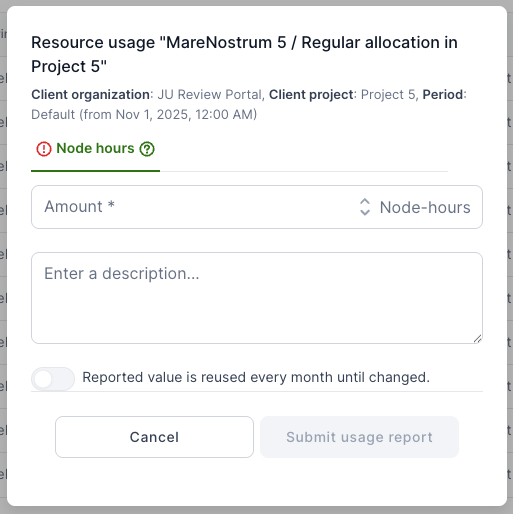
To report resource usage, select Actions from the end of the line in the resource table and select Report usage.
Order management
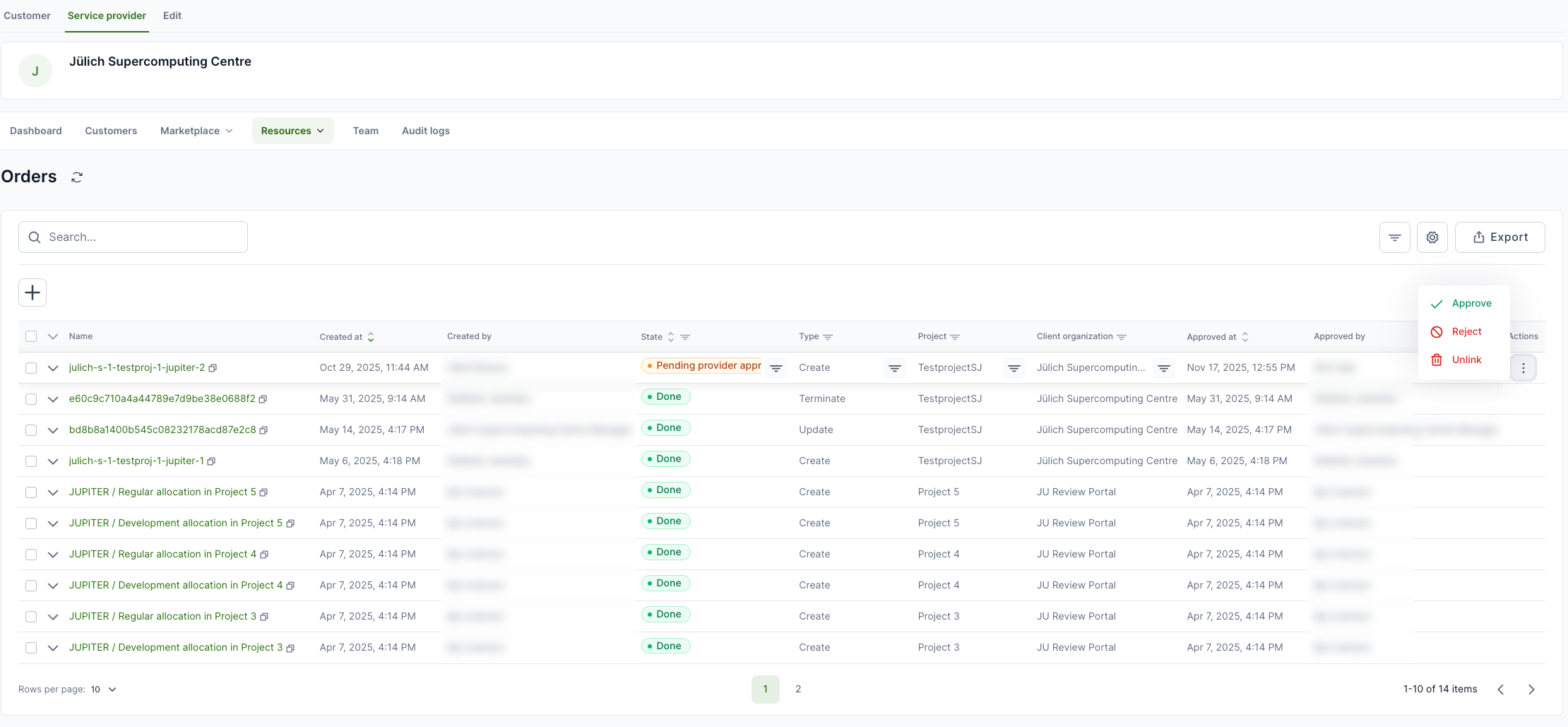
To see the orders, open Service Provider from the top and then select Resource → Orders from the workspace menu. This list provides an overview of creation, update and termination orders. Actions allows you to Approve or Reject the order.