Maintenance & operations
Actions via API
Maintenance announcements
The Maintenance Announcement system provides a comprehensive solution for managing and communicating maintenance activities. Service providers can create, schedule, execute, and track maintenance announcements through a complete REST API interface. This allows you to create announcement messages and then link specific offerings to that announcement.
Management endpoints (service providers)
These endpoints are for service providers to create and manage their maintenance announcements. Authentication is required, and results are filtered by role — you will only see announcements belonging to the customer organisation that owns your service provider account.
| Method | Endpoint | Description |
|---|---|---|
| GET | /api/maintenance-announcements/ | List Maintenance Announcements |
| GET | /api/maintenance-announcements/{uuid}/ | Retrieve |
| POST | /api/maintenance-announcements/ | Create |
| PUT | /api/maintenance-announcements/{uuid}/ | Update |
| PATCH | /api/maintenance-announcements/{uuid}/ | Partial Update |
| DELETE | /api/maintenance-announcements/{uuid}/ | Delete |
More information on Waldur documentation site.
For adding an offering to a maintenance announcement, these API endpoints can be used:
| Method | Endpoint | Description |
|---|---|---|
| GET | /api/maintenance-announcement-offerings/ | List |
| GET | /api/maintenance-announcement-offerings/{uuid}/ | Retrieve |
| POST | /api/maintenance-announcement-offerings/ | Create |
| PUT | /api/maintenance-announcement-offerings/{uuid}/ | Update |
| PATCH | /api/maintenance-announcement-offerings/{uuid}/ | Partial Update |
| DELETE | /api/maintenance-announcement-offerings/{uuid}/ | Delete |
More information on Waldur documentation site.
Public endpoint (external integrations)
For displaying active maintenance announcements in external portals, dashboards, or integrations, use the dedicated public endpoint instead:
| Method | Endpoint | Description |
|---|---|---|
| GET | /api/public-maintenance-announcements/ | List active announcements |
| GET | /api/public-maintenance-announcements/{uuid}/ | Retrieve |
This endpoint:
- Requires no authentication — anonymous access is allowed
- Returns all announcements regardless of which organisation created them
- Automatically filters to only Scheduled, In Progress, and Completed announcements (Draft and Cancelled are excluded)
- Is read-only
Note: When a maintenance announcement is scheduled, EFP Allocations also automatically creates a corresponding system-level notification visible via
/api/admin-announcements/. This is an internal representation used by the platform — external integrations should use/api/public-maintenance-announcements/as the authoritative source for maintenance data.
Audit logs
The GET /api/events/ endpoint allows you to pull the information about different events. The result depends on the permissions and filters of a user.
More information about events on Waldur documentation site.
Actions via GUI
Maintenance announcements
To manage maintenance announcements in the UI, open the Service provider menu and then Maintenance from the top menu.
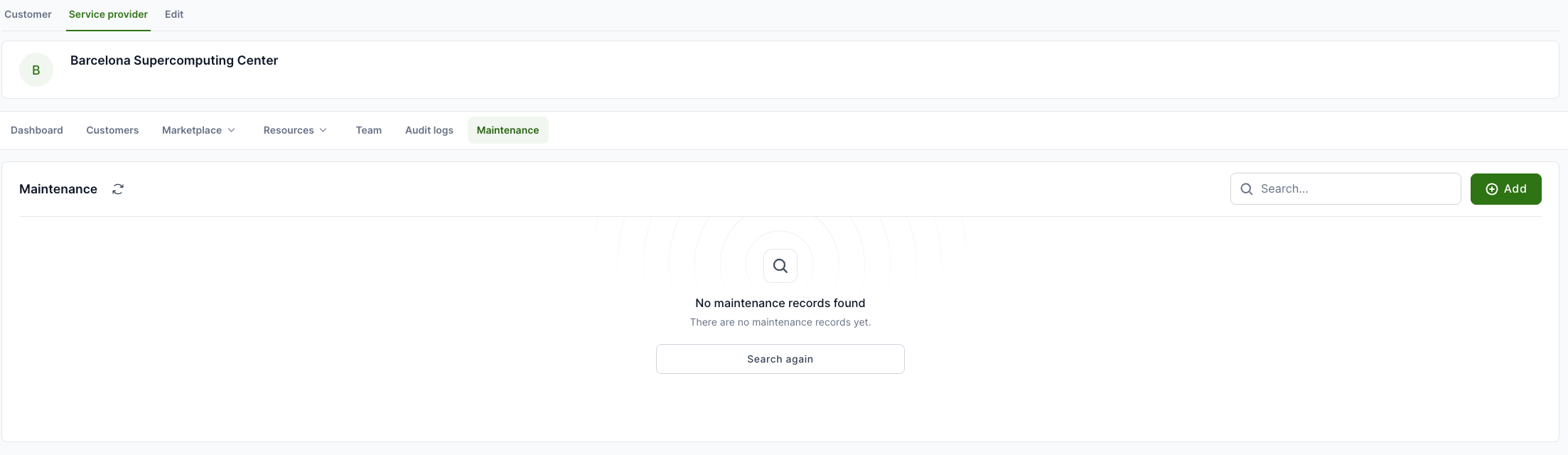
To add a new one, click Add from the right.
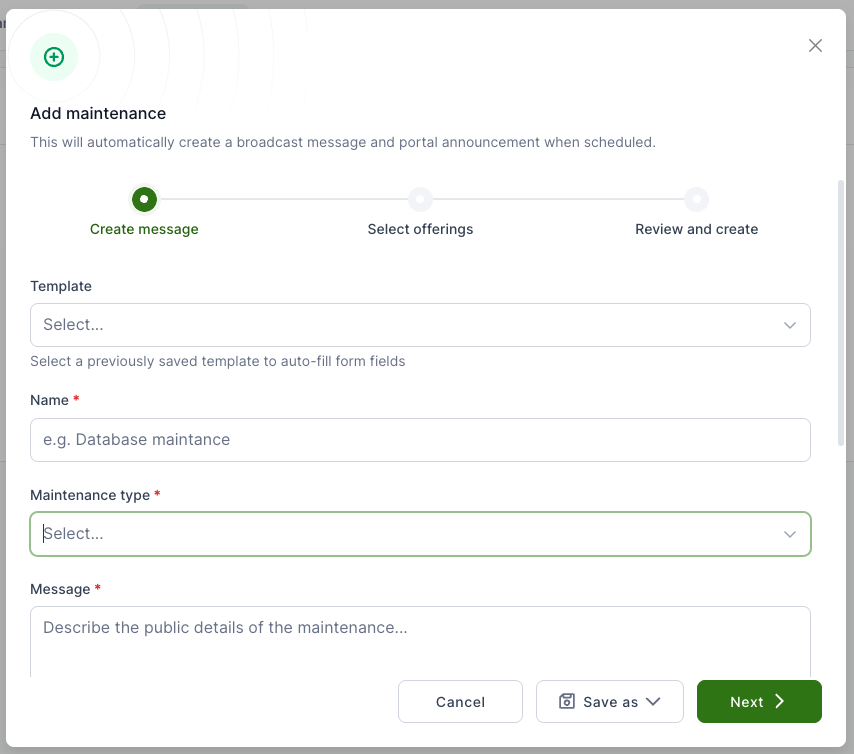
It is possible to use a template or add all content manually. Fill in all mandatory fields and click Next.
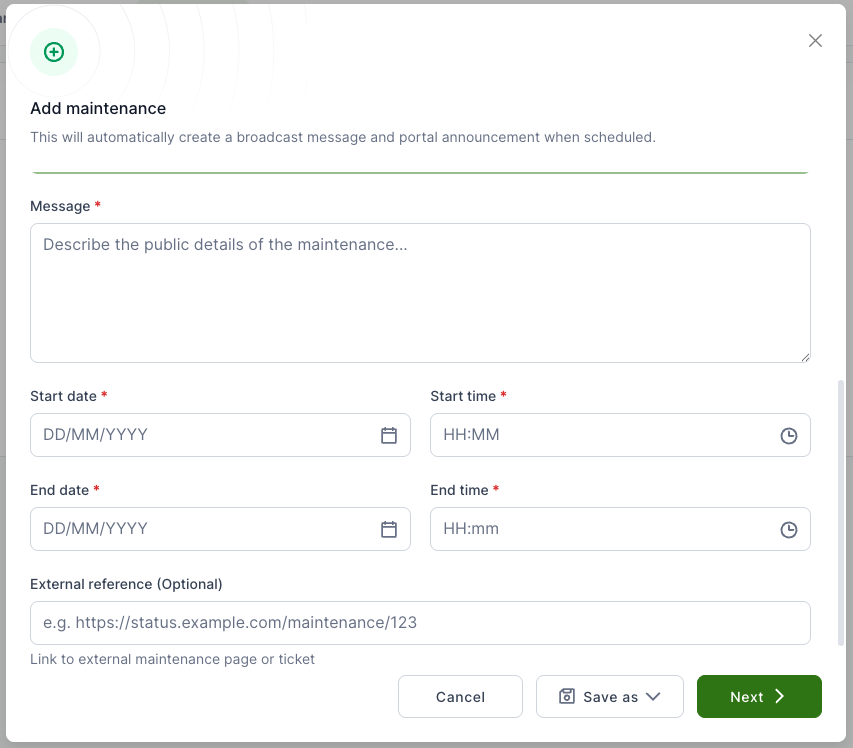
This can be a general maintenance message or only for a specific offering.
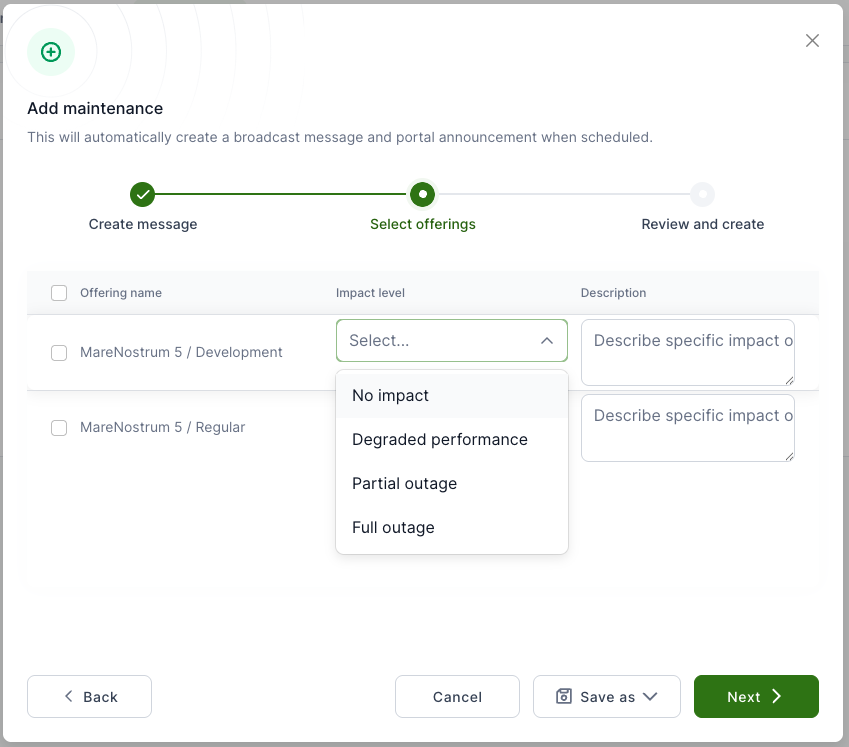
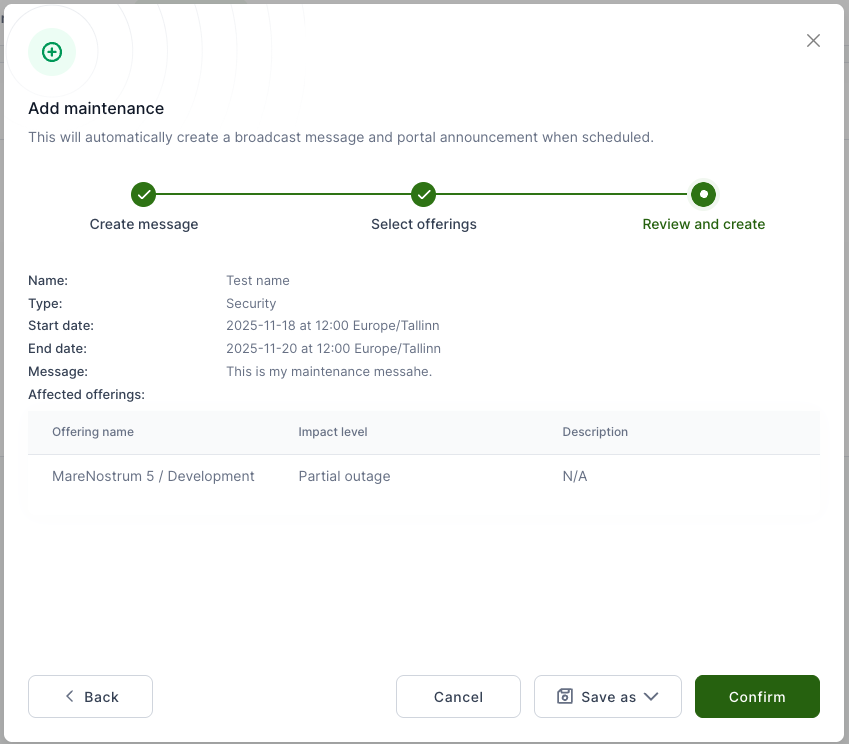
If all set, click Confirm.
Audit logs
Audit logs in EFP Allocations allow you to review events that have occurred. For example:
- Organisation creation/update
- Project creation/update/termination
- Resource creation/update/termination
- Project membership events (invitations, etc.)
Use audit logs to monitor what has changed in your organisation, who made the changes, and when they occurred.
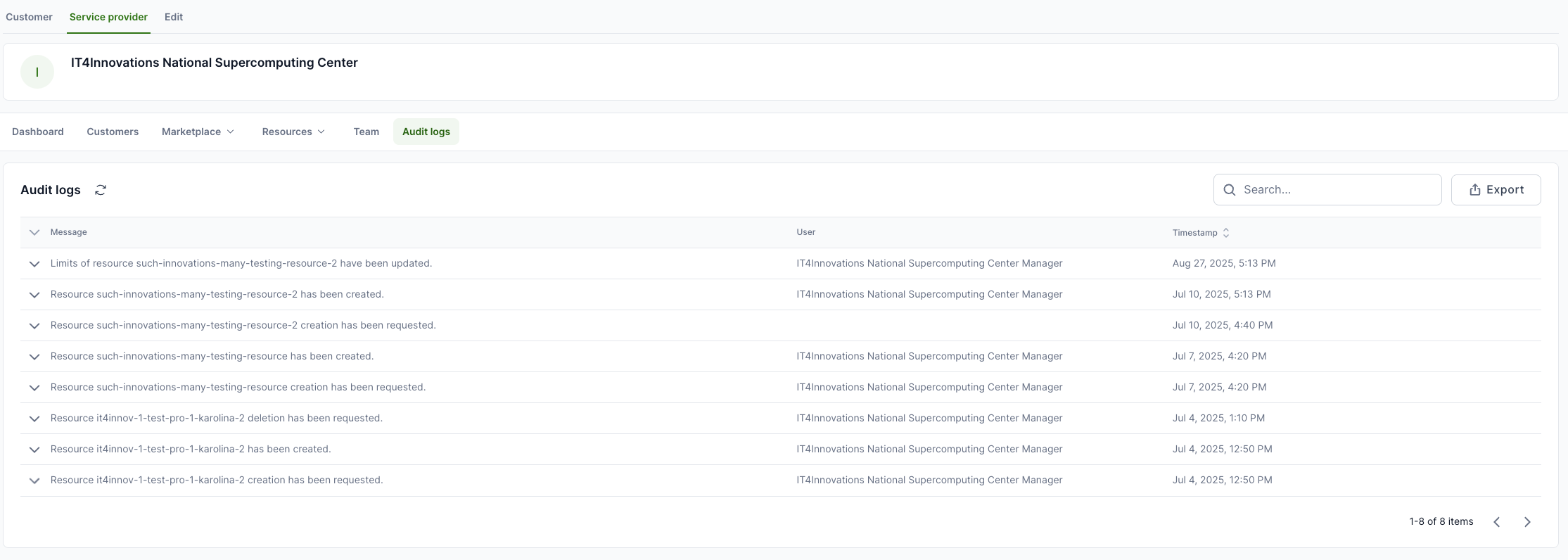
To see the logs, log in to EFP Allocations, select Service Provider from the top and then Audit logs from the workspace menu.